Recent Posts
Thursday, June 24, 2010


Saturday, January 30, 2010
Animeeple and Unity
Quite a few of you use Unity to create 3D video games, so we wrote a tutorial on how to use Animeeple with Unity. The tutorial starts with a blank project, and goes through creating a controllable character who walks, turns, runs, and kicks. Here's where you can find it: http://www.animeeple.com/documentation/Unity
Even if you don't use Unity, we hope you find the parts about creating game appropriate assets useful. We go into creating loops and removing root motion, both of which are handy to know. Enjoy!
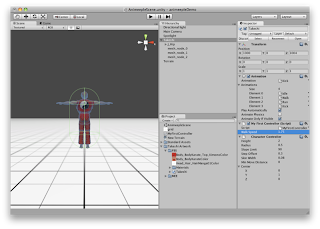
Even if you don't use Unity, we hope you find the parts about creating game appropriate assets useful. We go into creating loops and removing root motion, both of which are handy to know. Enjoy!

Wednesday, January 6, 2010
Wiki temporarily down
Our wiki is temporarily down because our service provider is doing some maintenance. It should be back up tonight. Sorry for the inconvenience!
Monday, December 7, 2009
New release!

Friday, November 20, 2009
Wednesday, November 18, 2009
Okan plays Mini Ninjas
The bottom line: Thumbs up on the engineering and artwork! Thumbs down on the training. http://okanarikan.blogspot.com/2009/11/mini-ninjas-rookie-mistake.html
Saturday, November 14, 2009
New release!
We've got a new release of Animeeple for you. What's new in 0.3.6?
As always, let us know what you think!
- Documentation covering our new interface, both text and video! Check it out at http://www.animeeple.com/documentation.html.
- By popular demand, you can now drag animations directly into a scene. This is useful when you have a skeleton that you want to retarget onto in an animation file, like a BVH.
- In the marketplace, every item has a button for searching for related content.
- If an animation has a pair, it will have a button for viewing it. For example, check out this slow dance animation, and click on the "paired" button.
As always, let us know what you think!
Friday, November 13, 2009
Sparkle in Motion

Sparkle's tip of the day: How do you unselect a joint when you're using the edit block?

For more information on the edit block, check out the this wiki page.
Friday, September 25, 2009
Sparkle in Motion

Sparkle's tip of the day: Did you know you can change the names of objects in the outline view? Just double-click on an object's name to edit it.
Wednesday, September 23, 2009
Sparkle in Motion
Sparkle's tip of the day: The navigator has a handy menu you can access by right-clicking. It includes options for deleting items from the shopping cart, and importing local items.


Wednesday, September 16, 2009
Sparkle in Motion

Sparkle's tip of the day: If you're selling 3D content on Animeeple, you can now embed your Animeeple store into your own webpage! Just click on your store at http://www.animeeple.com/market.html, then click on "Embed this marketplace" at the bottom to get the html. This is a new feature brought about by popular demand, and we would love to hear what you think.
If you're not yet selling content but you've been thinking about it, it's really easy to get started. Check out this wiki page for details.
New release!

We've got a new release of Animeeple for you! Get it at animeeple.com. Here's what is new in 0.2.14:
- Embeddable marketplaces: If you're selling content, now you can embed your Animeeple store into your own webpage!
- Better looping: You can specify an ease parameter that Animeeple will use to create smooth transitions.
- Improved import: We've improved T-pose detection for characterized FBX files.
- Second Life editing: The edit block's symmetry and copy options now work with Second Life characters.
- Our webpage: Check out our new look!
Tuesday, September 15, 2009
Sparkle in Motion

Sparkle's tip of the day: If you need to pose a character, check out the pose palette. You can use it to copy and paste poses. To use it, create an edit block with a keyframe. With the time marker over the keyframe, you can copy the current pose of your character to the pose palette by clicking "Save pose" in the inspector. Then later when you make another keyframe, you can paste the pose you saved by clicking "Restore pose".
Monday, September 14, 2009
Sparkle in Motion
Sparkle's tip of the day: You probably already know that Animeeple has undo and redo. But what's really cool is that you can use the undo stack to roll to specific changes. Choose "Undo stack" from the edit menu, then double-click on the change you want to go to.


Friday, September 11, 2009
Sparkle in Motion

Sparkle's tip of the day: Save your workspace! Even if you haven't built complex animations, it'll save you time to save your workspace because you don't have to reimport content.
Thursday, September 10, 2009
Sparkle in Motion
Sparkle's tip of the day: A workspace can hold multiple scenes. There's a button in the toolbar at the top for adding new scenes. You can tile, cascade, and switch between scenes using the Windows menu.


Wednesday, September 9, 2009
Sparkle in Motion

Sparkle's tip of the day: Double-clicking on a thumbnail in the search results will trigger a separate preview window, where you can look at the content in more detail.
Friday, September 4, 2009
Sparkle in Motion

Sparkle's tip of the day: Thinking about buying a character from Evolver.com? Now you can animate and test it out in Animeeple before you buy it! Check out the Evolver video tutorial at http://www.animeeple.com/tutorials.html.
Thursday, September 3, 2009
Sparkle in Motion
Sparkle's tip of the day: When you import a character or animation, label the bone that branches into the shoulders as the torso.

Follow @Animeeple on twitter!

Follow @Animeeple on twitter!
Monday, August 31, 2009
Sparkle in Motion
Sparkle's tip of the day: Did you know that you can copy the pose of one arm to the other, and one leg to the other? Create an edit block, then select it so its properties show up in the inspector. You'll see buttons for copying arms and legs.

